

Instagram Pre requisites
1. Introduction
Instagram as a channel has a list of pre requisites that the Instagram page/business account owner has to complete in order to deploy the bot
2. Pre requisite steps
Step 1: Ensure that your account is a Professional account
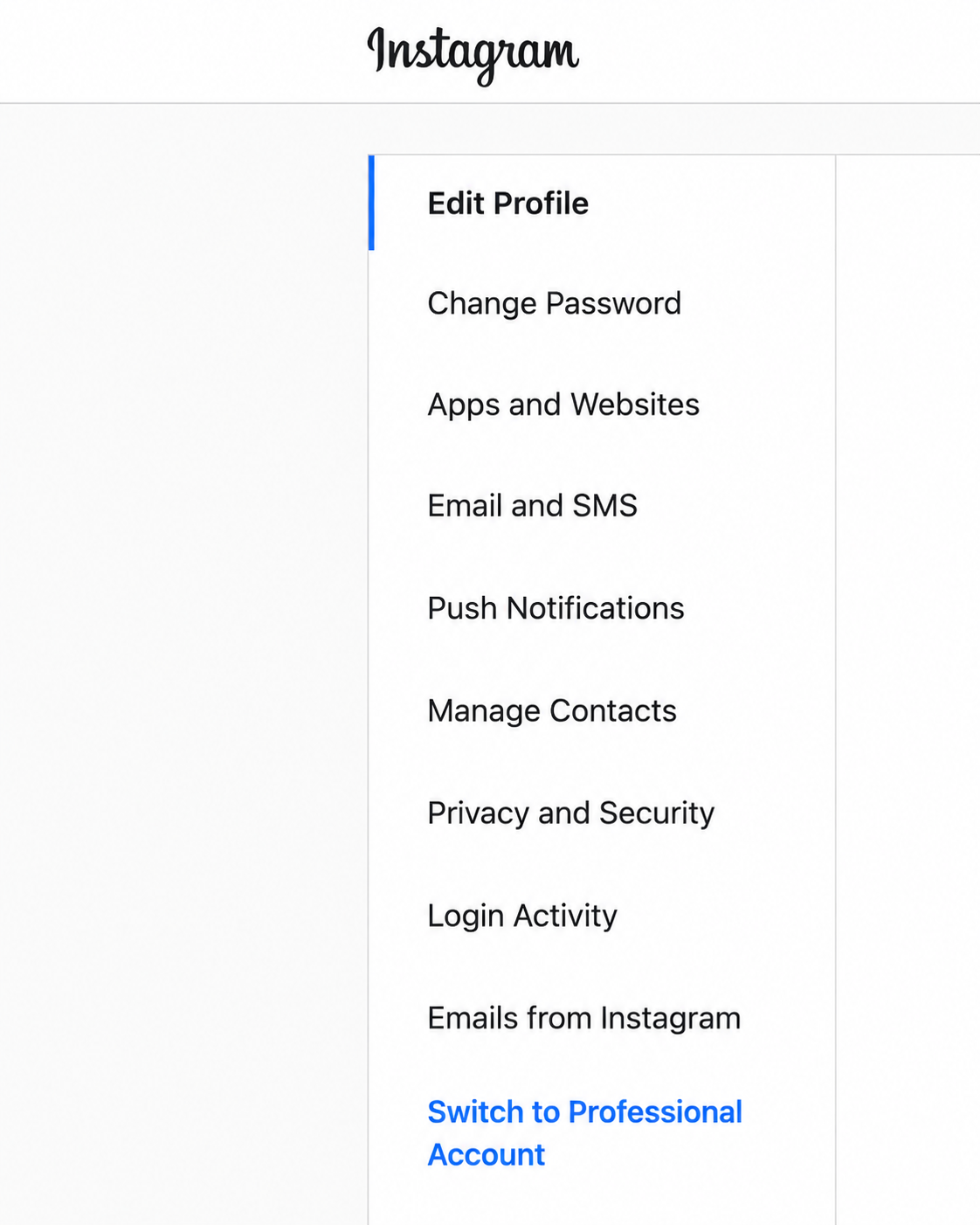
• Navigate to Edit profile on Instagram Web and check if you can see an option to – Switch to Personal Account
• Navigate to profile and ‘Settings’ on Instagram mobile app
If you see an option to ‘Switch to Personal account’ that means you already have an Instagram professional/business account and can jump to Step 3.
If not, follow the below steps to convert your account to a Professional Account
Instagram Web:
• Navigate to Edit profile on Instagram Web and click on ‘Switch to Professional Account’
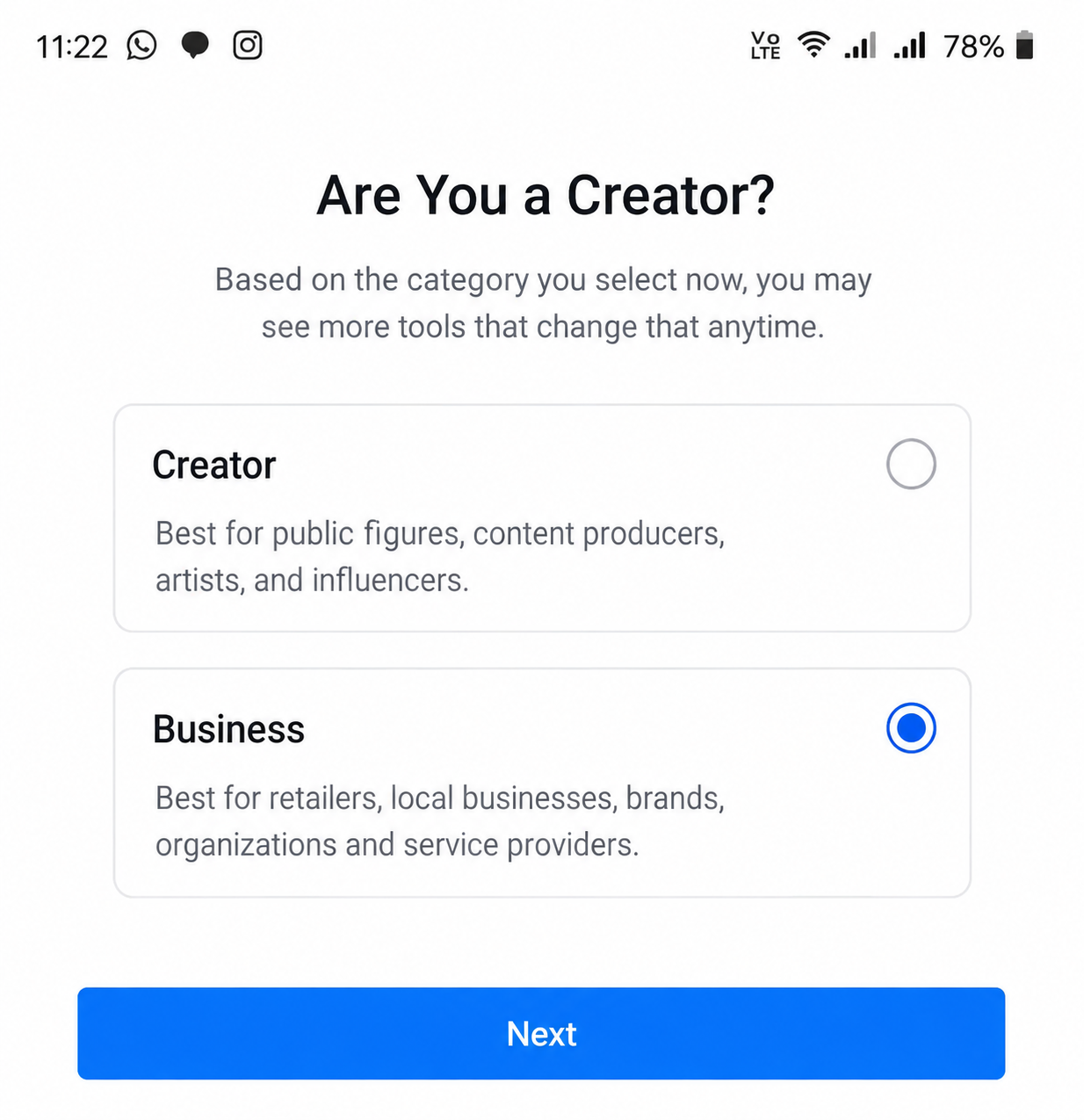
• Select your type of profession and click on the following step
Instagram Mobile App
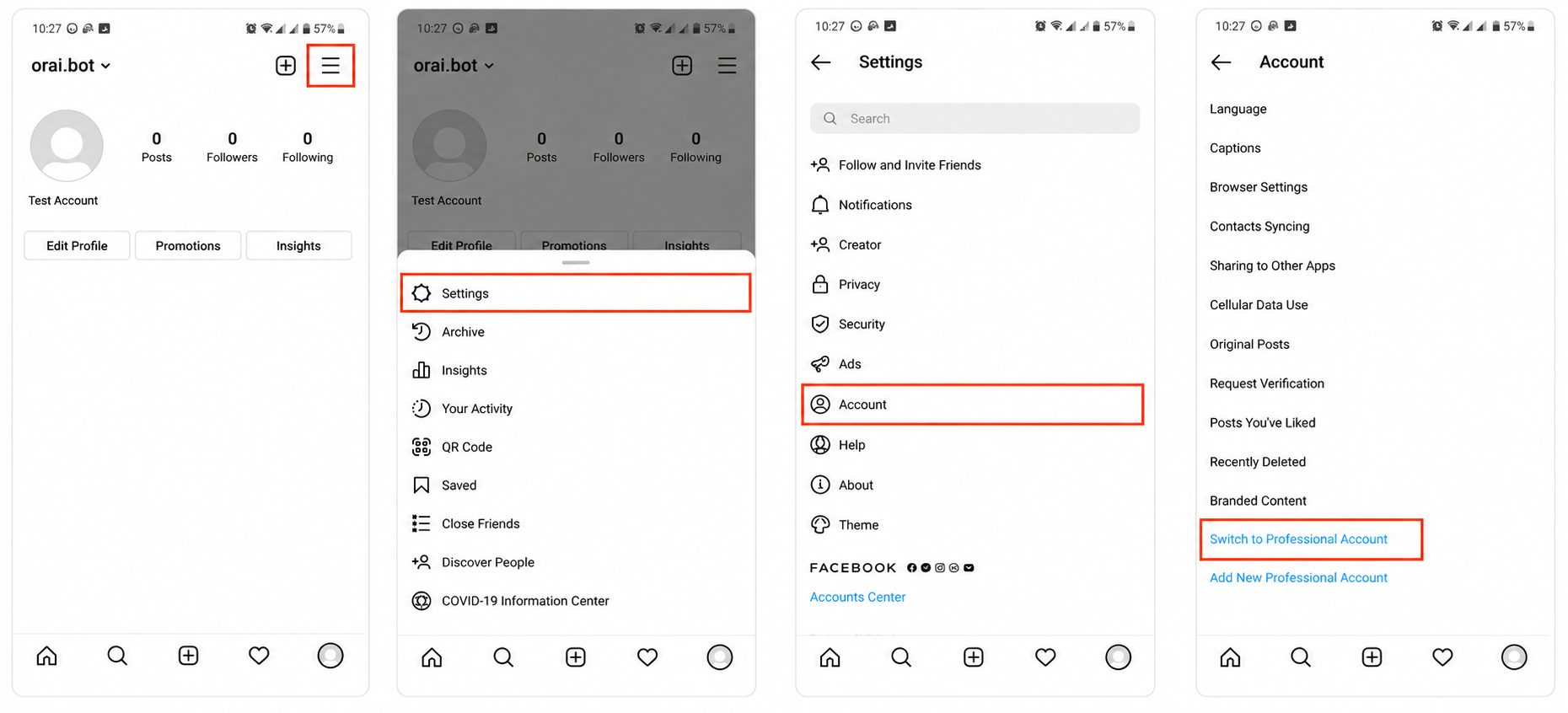
• Navigate to bottom right to access profile
• Click on ‘Settings’ and ‘Switch to Professional Account
Step 2: Connect your Instagram professional account to a facebook account and page
This setting can be completed only through Instagram Mobile App. Please follow the below steps on Instagram mobile application,
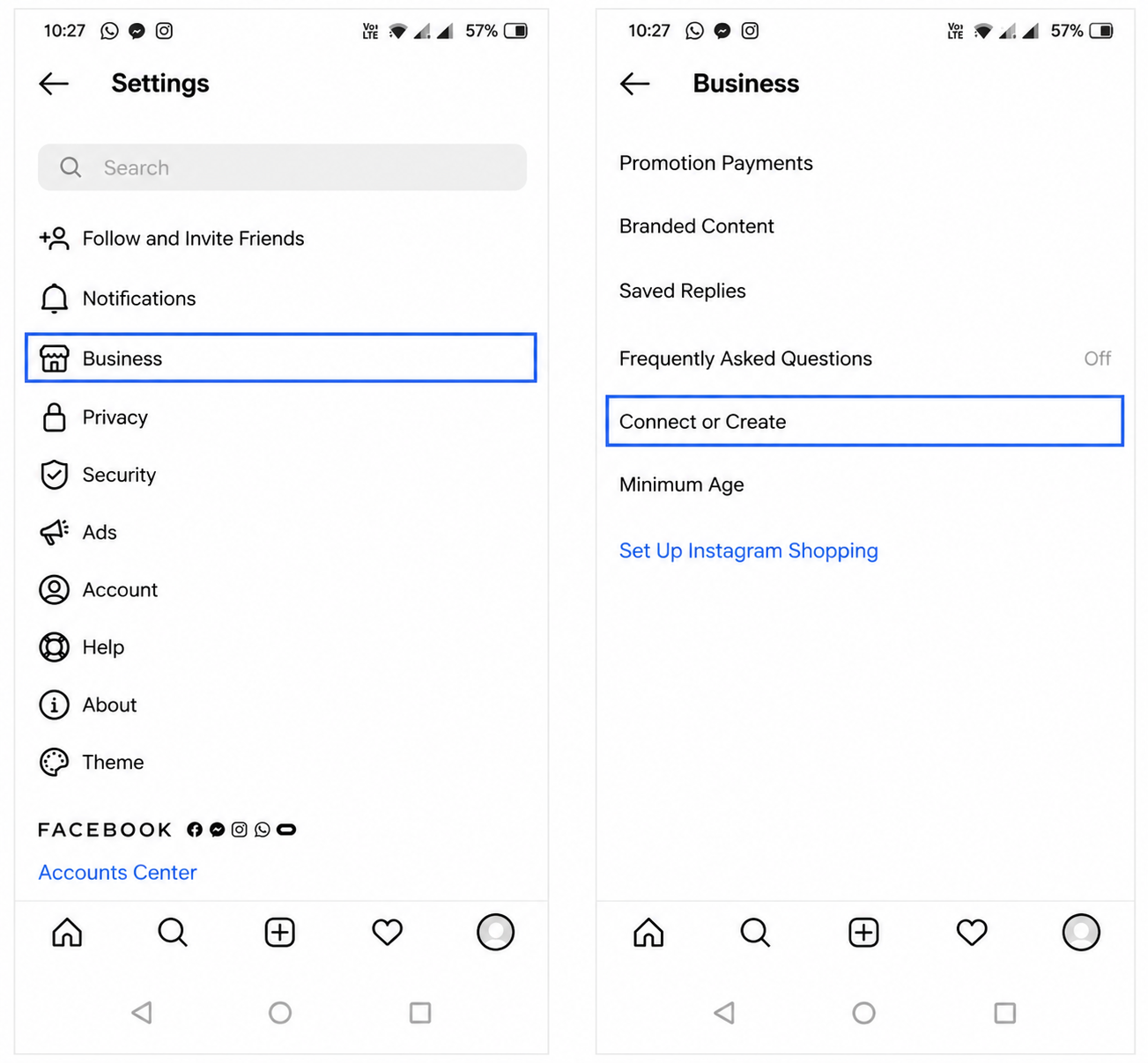
• Click on bottom right icon to access your profile and click on Settings
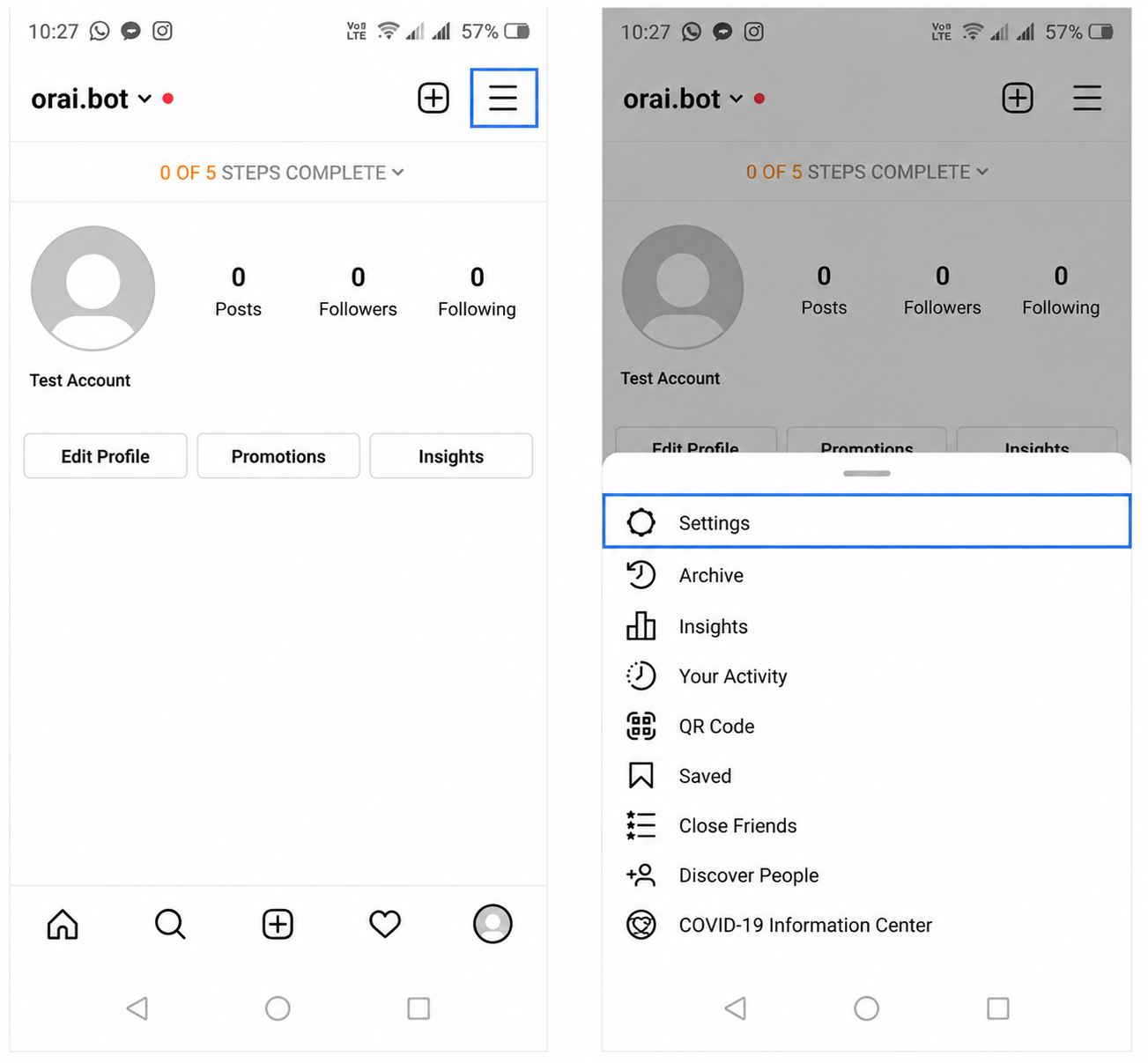
- Click on Business setting and select option to ‘Connect or Create’
- Login to the facebook account, with which you want to connect your instagram professional account
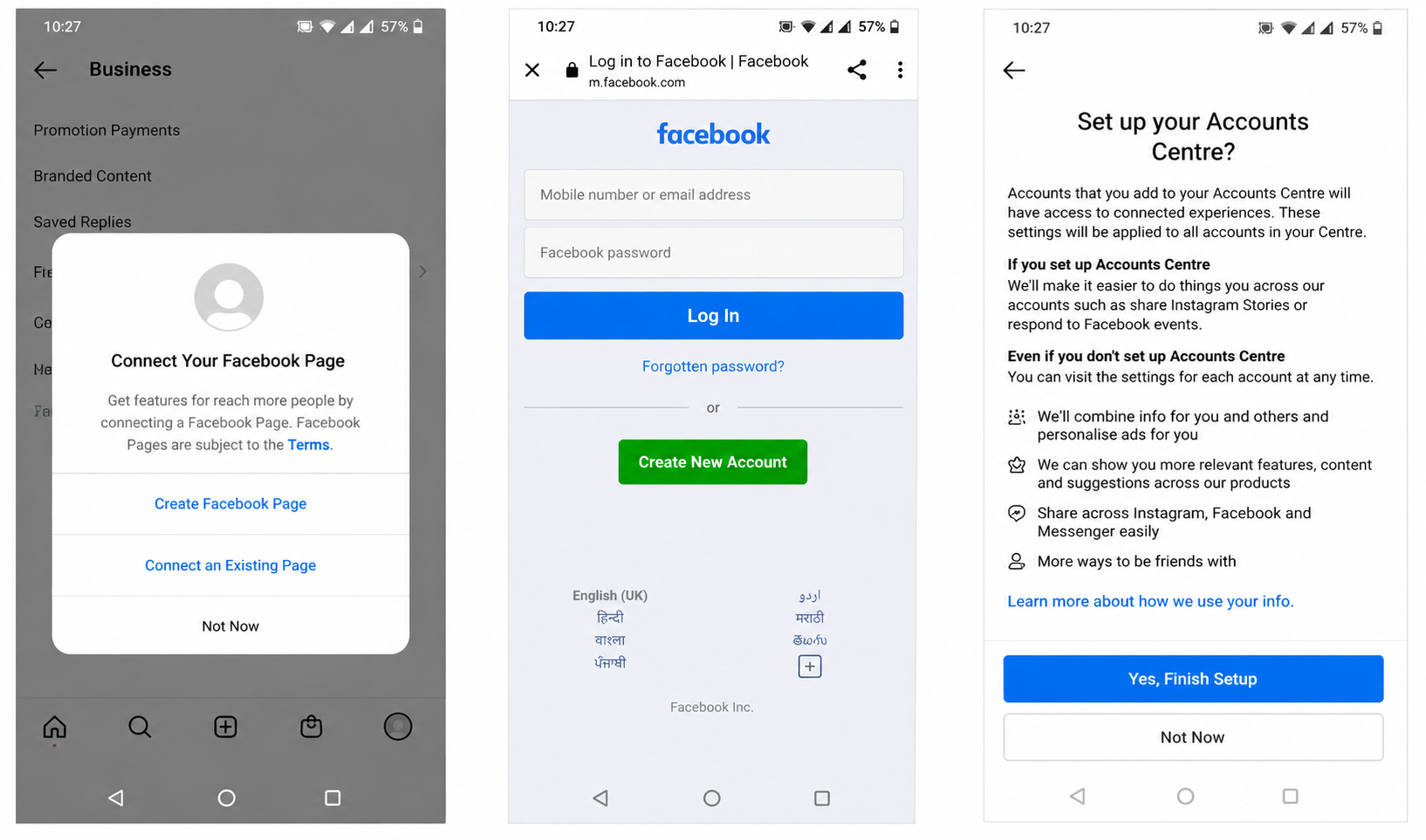
- Connect to an existing facebook page or create a new facebook page
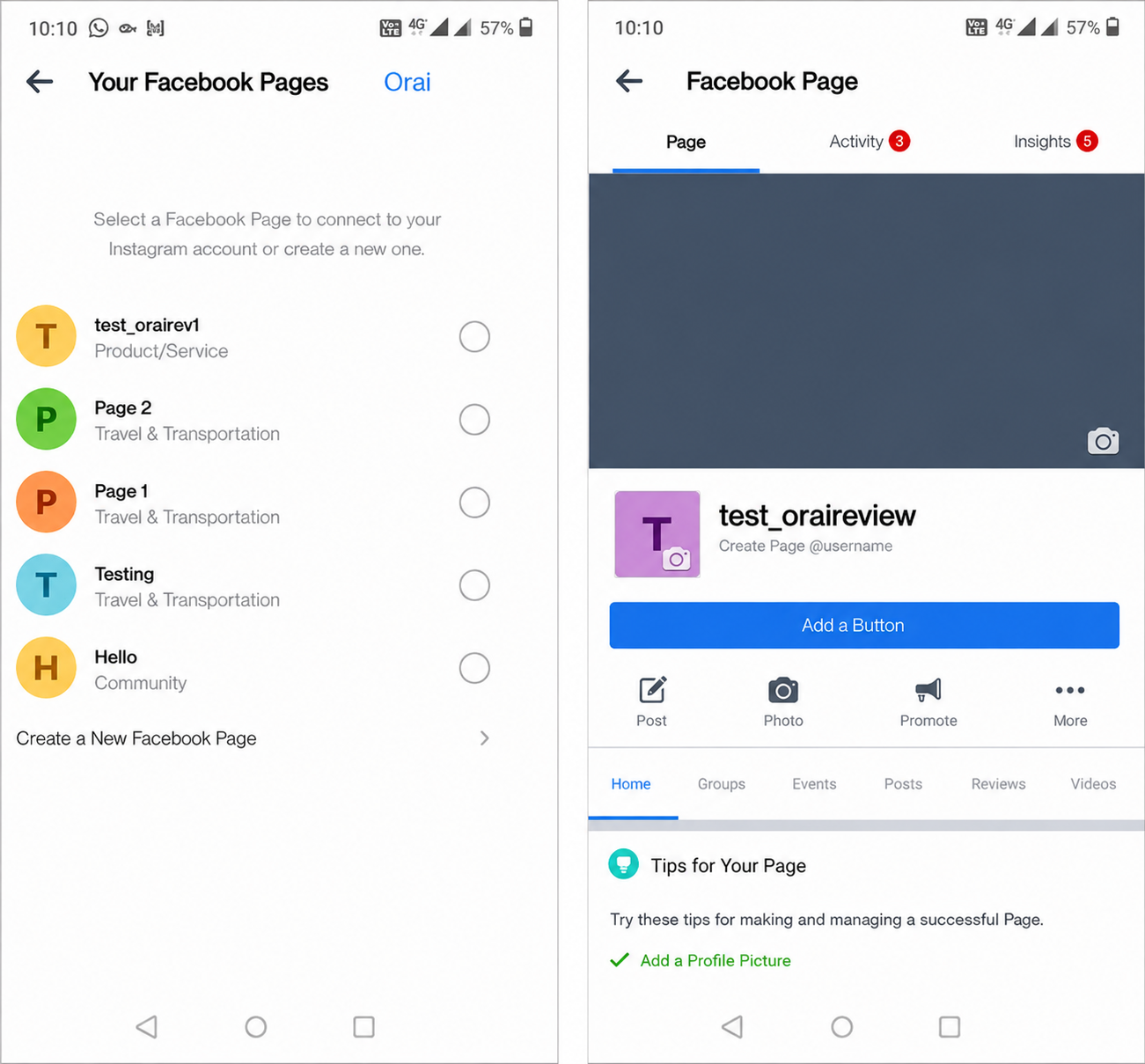
• Click on back or done and you will no longer see an option to Connect or Create
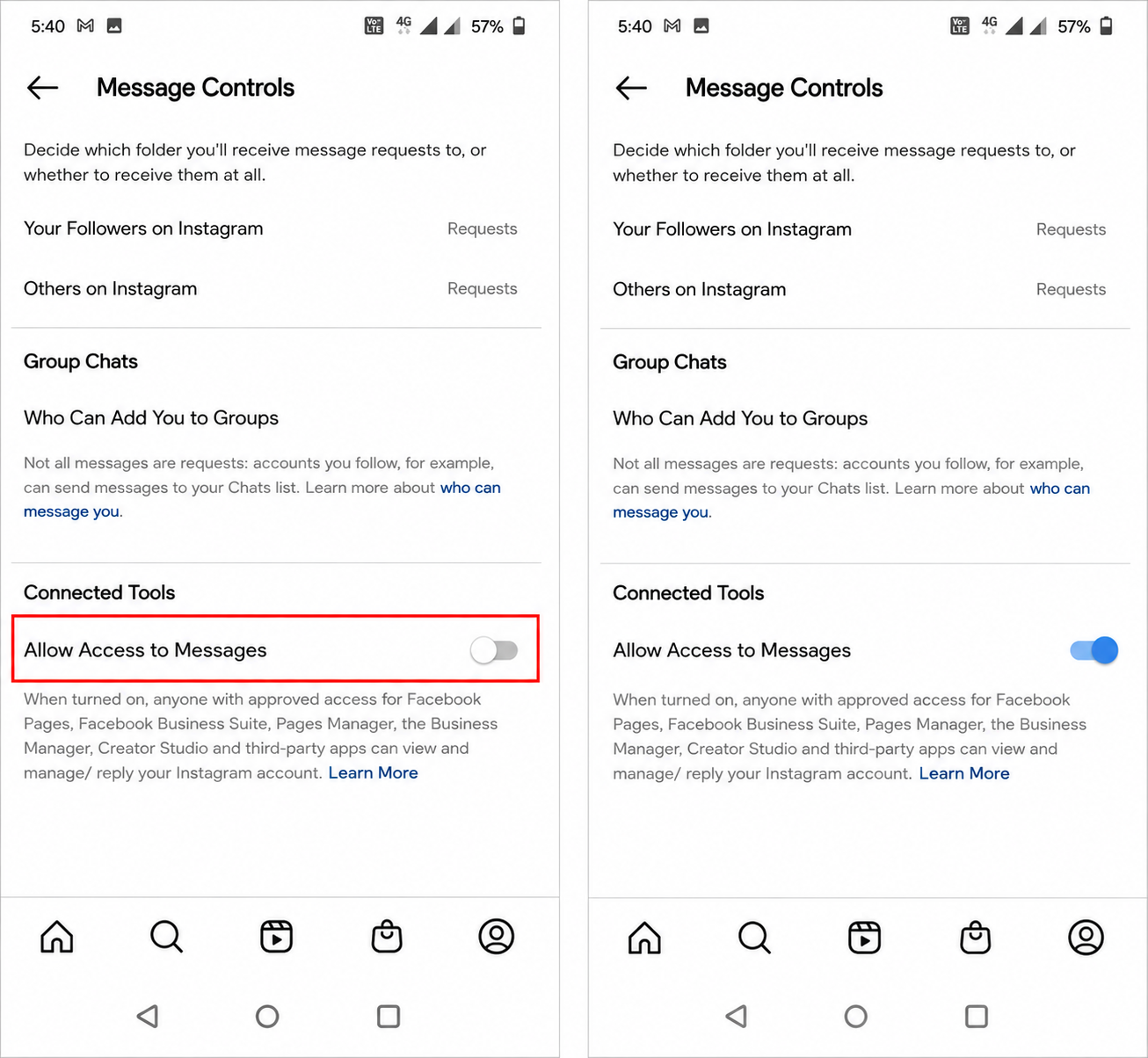
Step 3: Toggle message availability for external apps
This setting can be completed only through Instagram Mobile App. Please follow the below steps on Instagram mobile application,
• Navigate to Settings and click on ‘Privacy’ and then ‘Messages’
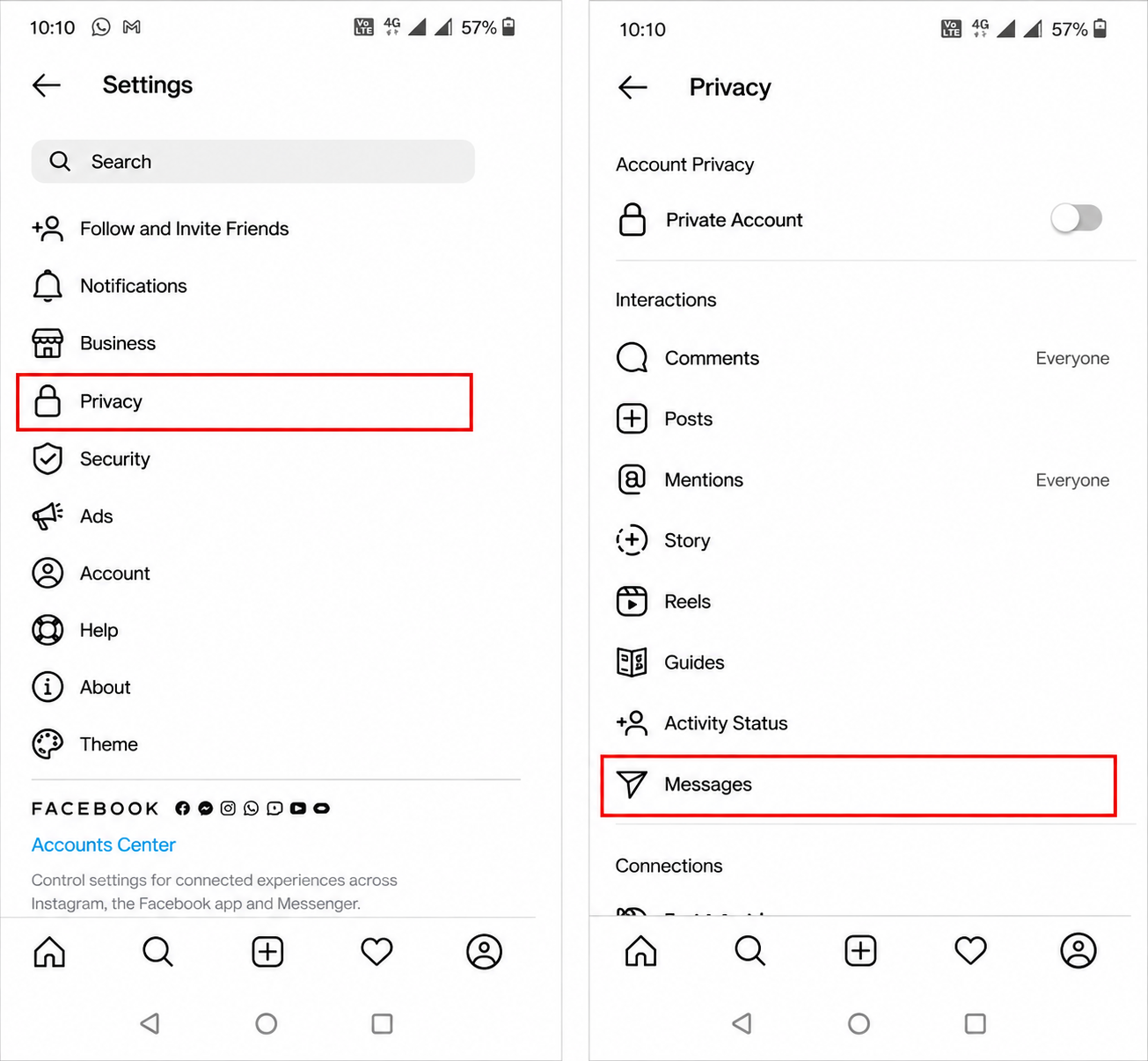
• Toggle the option ‘Allow Access to Messages’ to ON
After finishing the above steps, you can proceed to Orai portal and continue connecting your chatbot to Instagram