

-
Welcome to ORAI Robotics
-
Building Your Bot
-
Docusense - Conversational Intelligence
-
Deploying The Bot
-
Broadcast Simplified
-
Tracking & Analytics
-
Activating Live Chat
-
Managing your account
-
ORAI Robotics for Shopify - What’s in it for you?
-
Generative AI
- Generative AI
- Docusense Search
- Guide to Custom Prompting
- Show Related Matches (SRM): Implementation Guide
- Configuring and Using Question Suggestions
- Enable LLM for Multilingual capabilities
- Gen AI Updates
- Configuring Conversational Intelligence (with LLM enabled)
- Understanding Prompts in Generative AI
- Configuring AI Response Settings
-
ORAI Robotics APIs
-
Platform Tutorials
-
Orai - User Guide
-
How to setup WhatsApp notifications
-
Marketing Campaigns and Automations
Pause
Introduction
The purpose of the bot is to improvise the User experience, this can be only achieved when the end-user is able to grasp the information being conveyed, in some instances due to a large amount of content the points that require more attention are often overlooked causing the purpose of the bot to be undermined.
ORAI provides the option of slowing down the conversation so that the User reading the content has ample time to read and understand.
Steps to implement
• Select the User displaying data nodes between which you want to apply the Pause Node.
• Select the time duration from the set of predefined options.
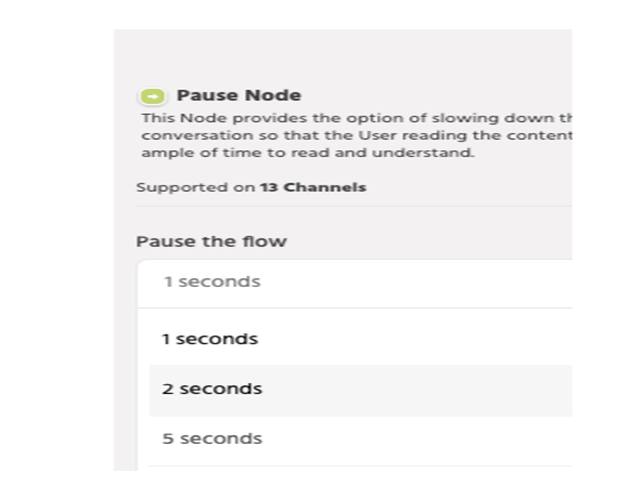
• Save and connect with the following nodes.
Table of Contents