

-
Welcome to ORAI Robotics
-
Building Your Bot
-
Docusense - Conversational Intelligence
-
Deploying The Bot
-
Broadcast Simplified
-
Tracking & Analytics
-
Activating Live Chat
-
Managing your account
-
ORAI Robotics for Shopify - What’s in it for you?
-
Generative AI
- Generative AI
- Docusense Search
- Guide to Custom Prompting
- Show Related Matches (SRM): Implementation Guide
- Configuring and Using Question Suggestions
- Enable LLM for Multilingual capabilities
- Gen AI Updates
- Configuring Conversational Intelligence (with LLM enabled)
- Understanding Prompts in Generative AI
- Configuring AI Response Settings
-
ORAI Robotics APIs
-
Platform Tutorials
-
Orai - User Guide
-
How to setup WhatsApp notifications
-
Marketing Campaigns and Automations
Slider Node
The Slider node enriches the visual experience and the input method via which your end-users can feed the values. The
- Slider Input Type – Select the type of input you want to receive from the User.
- User Prompt – The message that will be shown to the end-user.
- Validation Input – The message that will be shown to the end-user when they enter an invalid input.
- Range – You can enter the minimum and maximum values and the message to be shown in the Label part.
- Step Value – The value of increment that will be used for each step in the Slider.
- Attribute – The value chosen by the end-user will be stored here.
There are three types of input supported :
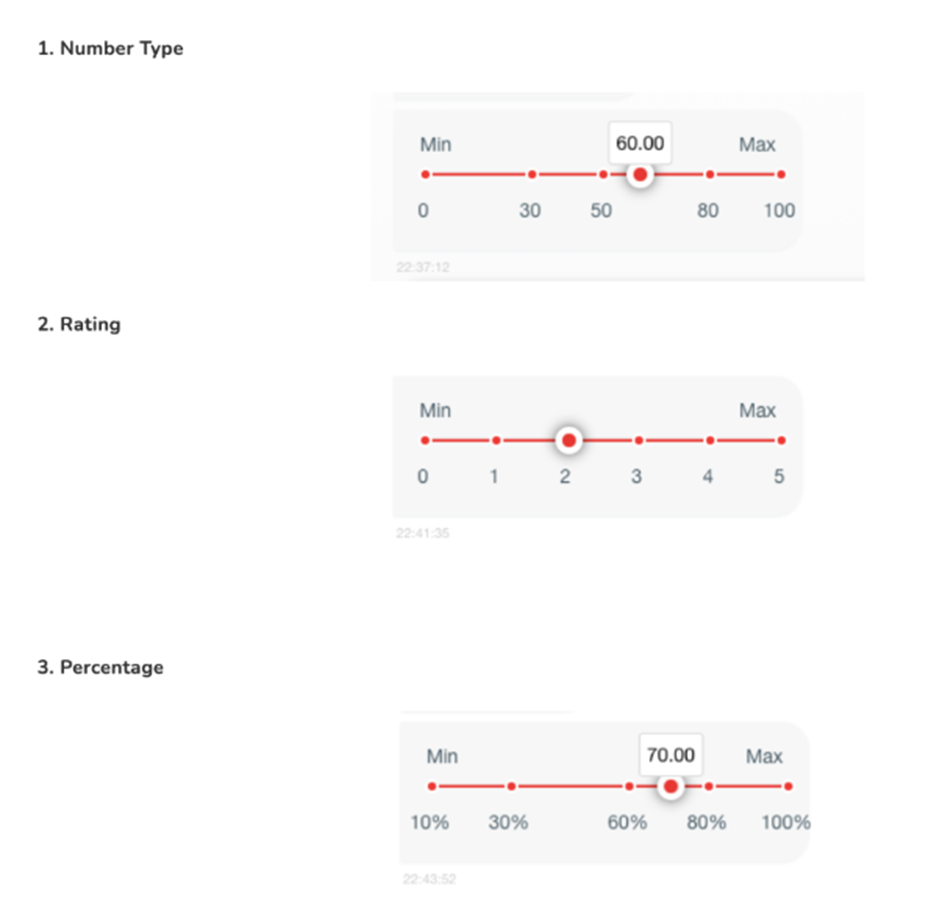
Note: The slider option is only present for bots deployed either as a standalone or over a website, for other channels this node will act as a Request User data node.
The type of these attributes by default is ‘Number’ for all three categories.
Table of Contents