-
Welcome to ORAI Robotics
-
Building Your Bot
-
Docusense - Conversational Intelligence
-
Deploying The Bot
-
Broadcast Simplified
-
Tracking & Analytics
-
Activating Live Chat
-
Managing your account
-
ORAI Robotics for Shopify - What’s in it for you?
-
Generative AI
- Generative AI
- Docusense Search
- Guide to Custom Prompting
- Show Related Matches (SRM): Implementation Guide
- Configuring and Using Question Suggestions
- Enable LLM for Multilingual capabilities
- Gen AI Updates
- Configuring Conversational Intelligence (with LLM enabled)
- Understanding Prompts in Generative AI
- Configuring AI Response Settings
-
ORAI Robotics APIs
-
Platform Tutorials
-
Orai - User Guide
-
How to setup WhatsApp notifications
-
Marketing Campaigns and Automations
Orai Robotics WhatsApp Integration Guide
1. Introduction Orai Robotics offers seamless integration with WhatsApp, providing a robust platform for your bot to leverage the world’s most popular messaging service.
1.1 Access to Setup Begin your WhatsApp integration by navigating to: Settings > Integration > WhatsApp
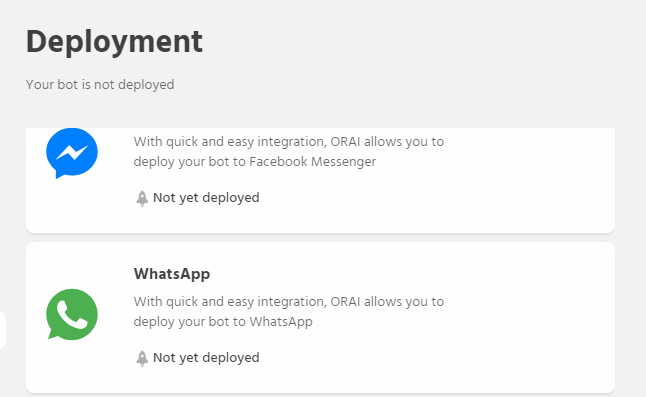
2. Requirements To activate your Orai Bot on WhatsApp, you’ll need access to the WhatsApp Business APIs. These APIs are granted on a limited basis and require WhatsApp’s manual approval. For more information, please refer to the official WhatsApp documentation.
3. Configuration Steps After receiving approval, follow these steps to configure your WhatsApp integration:
3.1 Number Registration Select an active phone number to associate with your WhatsApp account. This number will receive a verification call from WhatsApp, so ensure it’s accessible and can receive calls from the US.
3.2 Orai Setup For assistance with setting up the WhatsApp Business API client, contact our support team at support@orai-robotics.com. If you prefer a DIY approach, you can set up a Docker container on AWS or your local server following our technical guide.
Once your WhatsApp Business API client is operational, log in to manage users and set up your system. Detailed instructions can be found in our step-by-step guide.
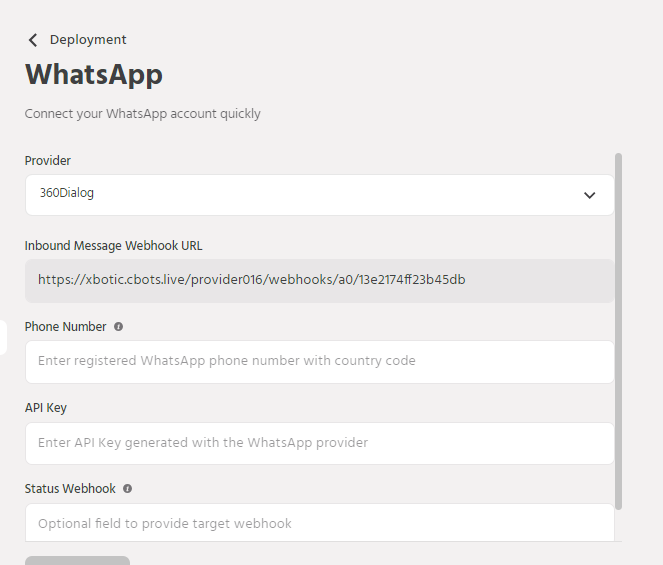
In the final step, configure the Webhook URL as specified in the technical guide, matching the URL provided in the Orai Portal’s channels section.
To complete the setup, enter your WhatsApp Business Client credentials and the client URL in the WhatsApp configuration section of the Orai Portal.