

-
Welcome to ORAI Robotics
-
Building Your Bot
-
Docusense - Conversational Intelligence
-
Deploying The Bot
-
Broadcast Simplified
-
Tracking & Analytics
-
Activating Live Chat
-
Managing your account
-
ORAI Robotics for Shopify - What’s in it for you?
-
Generative AI
- Generative AI
- Docusense Search
- Guide to Custom Prompting
- Show Related Matches (SRM): Implementation Guide
- Configuring and Using Question Suggestions
- Enable LLM for Multilingual capabilities
- Gen AI Updates
- Configuring Conversational Intelligence (with LLM enabled)
- Understanding Prompts in Generative AI
- Configuring AI Response Settings
-
ORAI Robotics APIs
-
Platform Tutorials
-
Orai - User Guide
-
How to setup WhatsApp notifications
-
Marketing Campaigns and Automations
Segments
User data helps a business understand their customers and provide better products and services. This data sometimes may become too big to handle or apply metrics on or a bot builder may want to target a certain set of audience based on a given parameter. In this scenario, a bot builder would need to filter and create a group of users who fulfill the given criteria. Orai provides this functionality to their users by providing the ability to create segments. Segments are used to categorize users based on certain rules which would be primarily comprised of attribute-value combinations, including certain system ones.
Availability
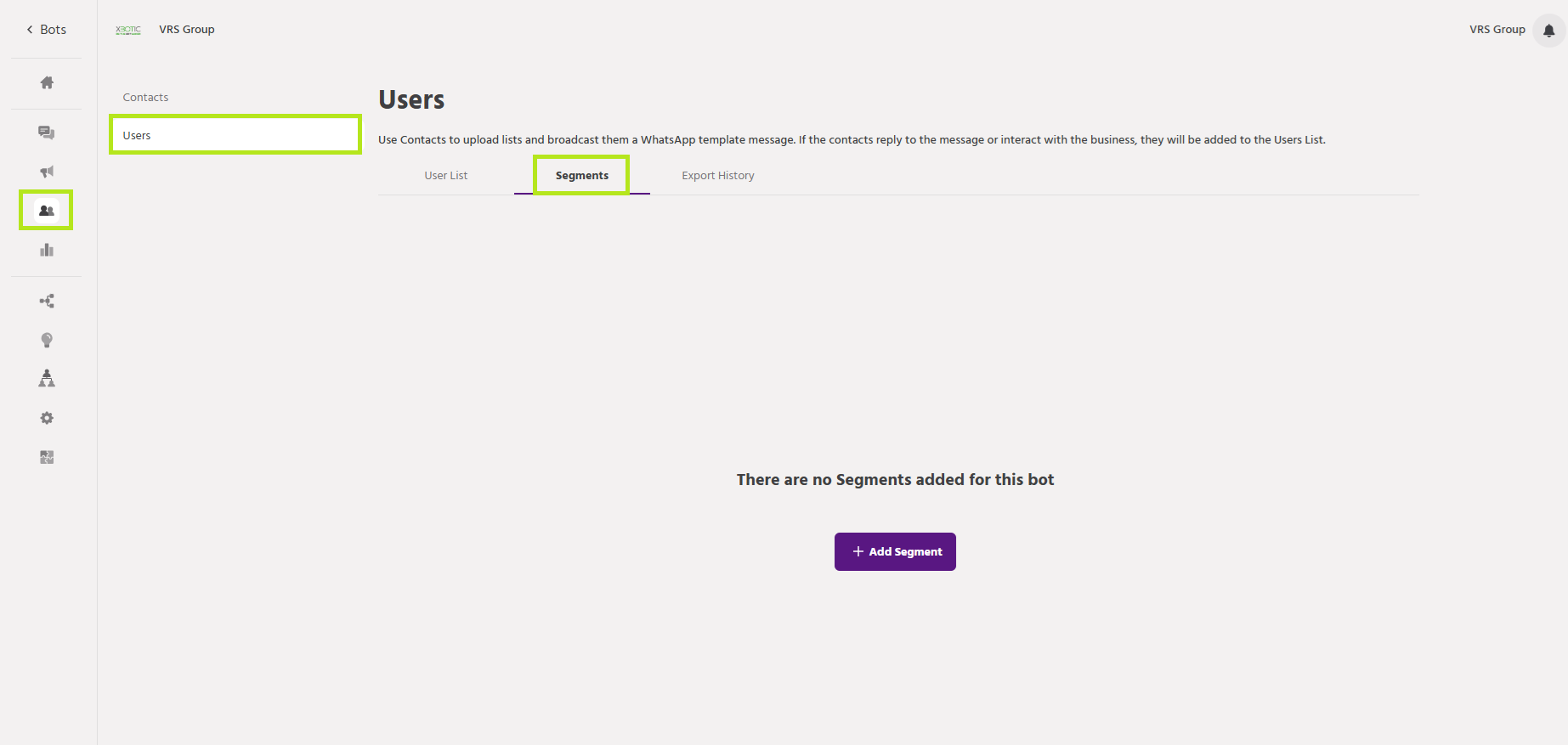
You can create segments by selecting Users Tab on the left panel and clicking on ‘Segments’ tab
Setting Up
Creating and Saving
Step 1: Navigate to user Tab > Users > Segments > +Add Segment.
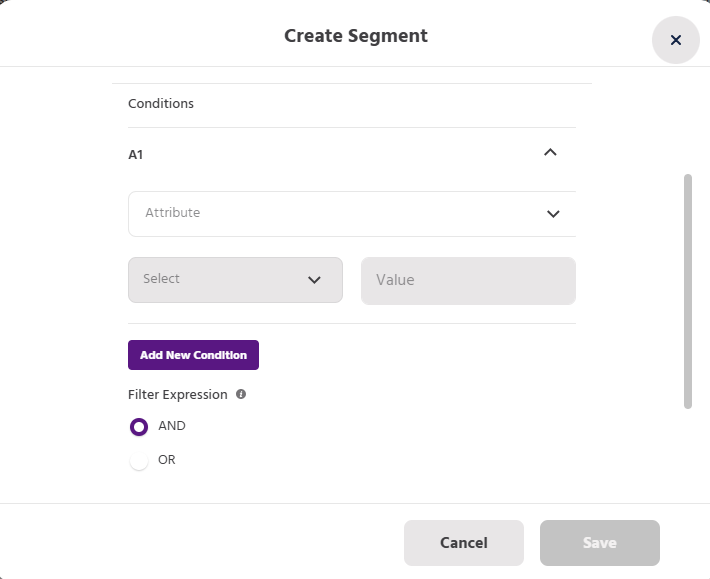
Step 2: Fill in the details. For your convenience, we have provided descriptions for each field, indicating the values to enter in each.
-
Segment Name: This is the name you want to keep for the segment being created.
-
Conditions: This lets you set constraints to filter users to be added to the segment
-
Filter Expression: This allows a user to add ‘And’, ‘Or’ and ‘Custom’ function to create the evaluation expression
Illustration
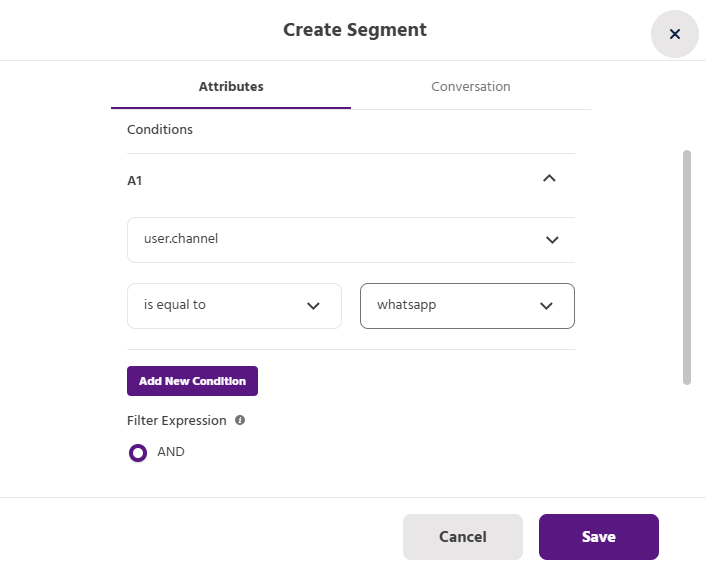
Let’s consider a sample use case where we need to get Millenials from our users. We set criteria that to be in the millennial segment a user must be greater than 25 years.
The below image shows how we can create the desired segment
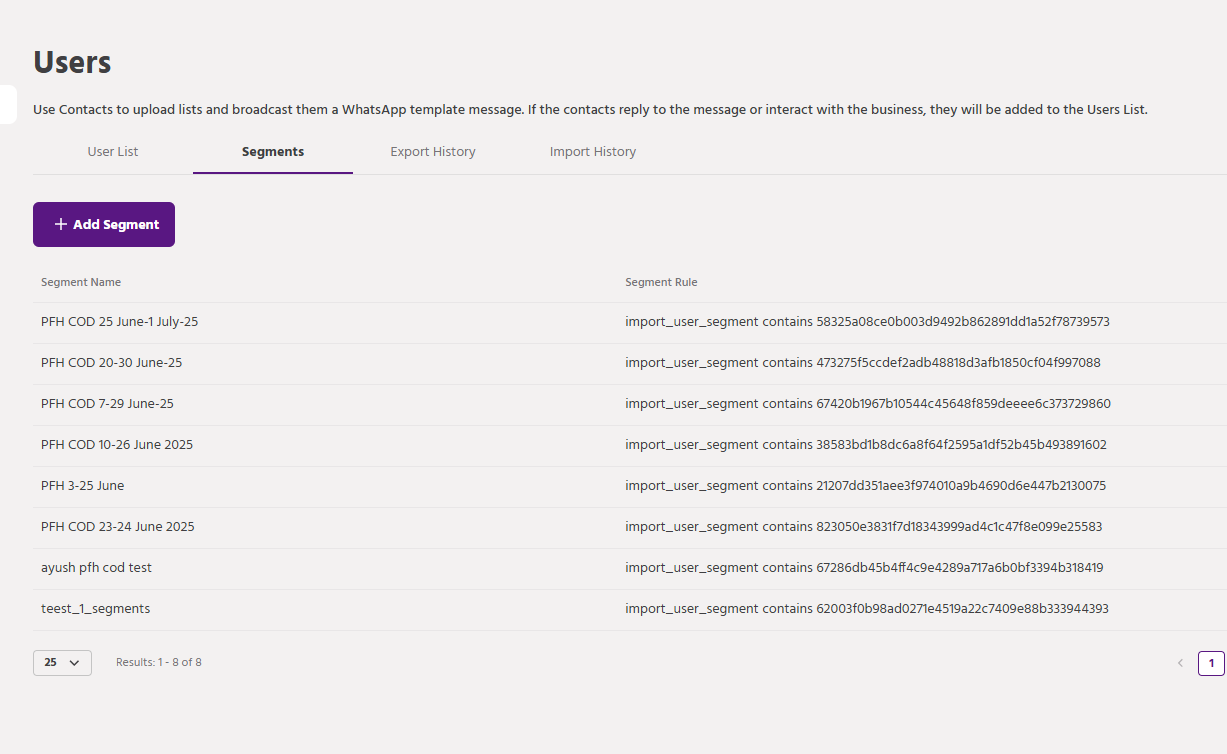
When the segment is successfully created it shows up on the segments page.
That covers everything about Segments. I trust that reading this documentation has provided a clearer understanding of how to make the most of the Segments section on our platform.
If you face any issues or queries please reach out to us at support@orairobotics.zohodesk.com.