-
Welcome to ORAI Robotics
-
Building Your Bot
-
Docusense - Conversational Intelligence
-
Deploying The Bot
-
Broadcast Simplified
-
Tracking & Analytics
-
Activating Live Chat
-
Managing your account
-
ORAI Robotics for Shopify - What’s in it for you?
-
Generative AI
- Generative AI
- Docusense Search
- Guide to Custom Prompting
- Show Related Matches (SRM): Implementation Guide
- Configuring and Using Question Suggestions
- Enable LLM for Multilingual capabilities
- Gen AI Updates
- Configuring Conversational Intelligence (with LLM enabled)
- Understanding Prompts in Generative AI
- Configuring AI Response Settings
-
ORAI Robotics APIs
-
Platform Tutorials
-
Orai - User Guide
-
How to setup WhatsApp notifications
-
Marketing Campaigns and Automations
How to add FAQs
Frequently Asked Questions (FAQs) are standard query responses that can handle customer queries.
For eCommerce, we have a ready template available, you can access it here. Create a copy of this document and add the responses according to your store
Once edited, you can add these FAQs by downloading and importing this CSV file. To upload, go to Intelligence, select FAQs, and click on upload FAQ.
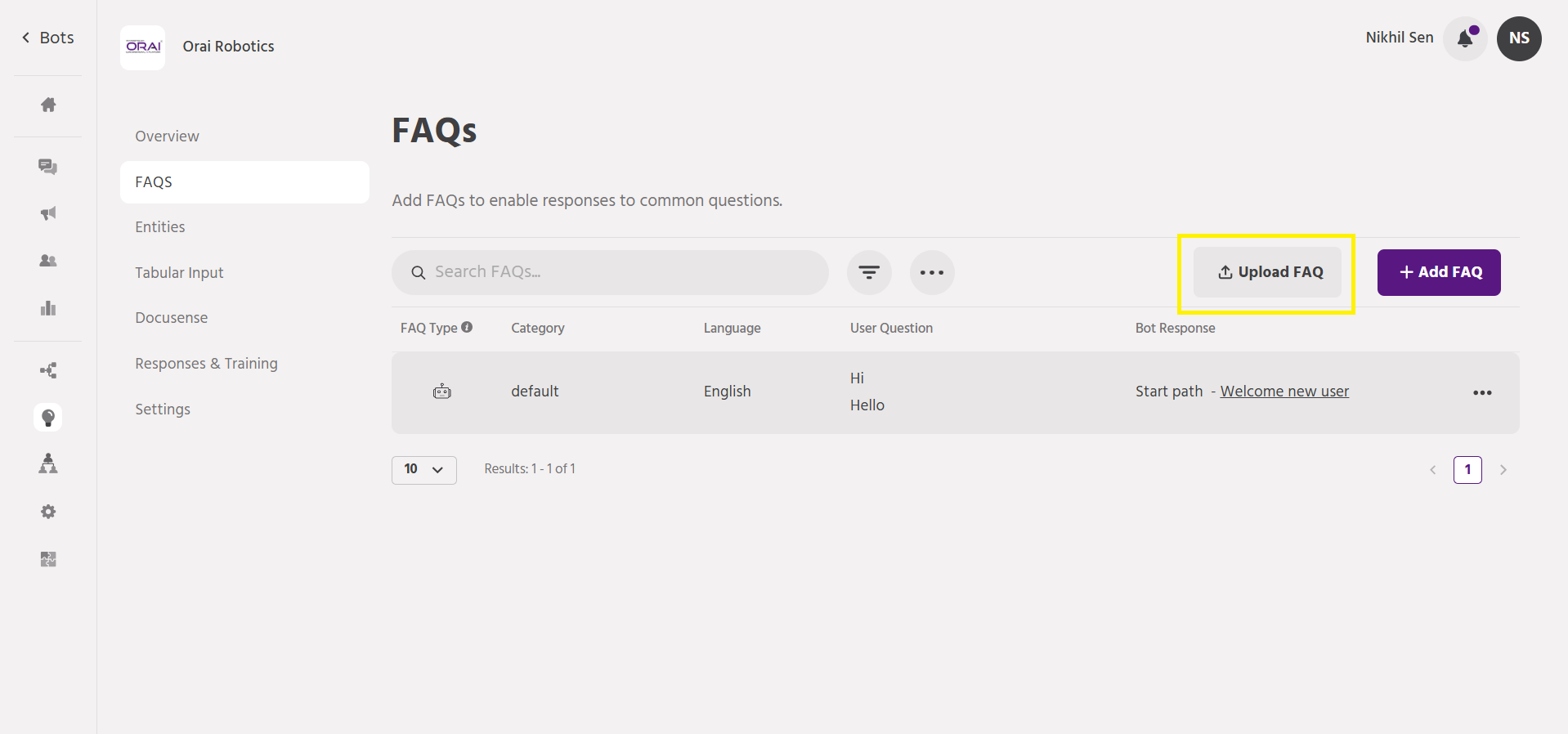
Once added, you’ll be able to see the FAQs on this page. You can edit, add or delete FAQs.
To add FAQs individually, you can click on Add FAQ. Add query variations and add responses.
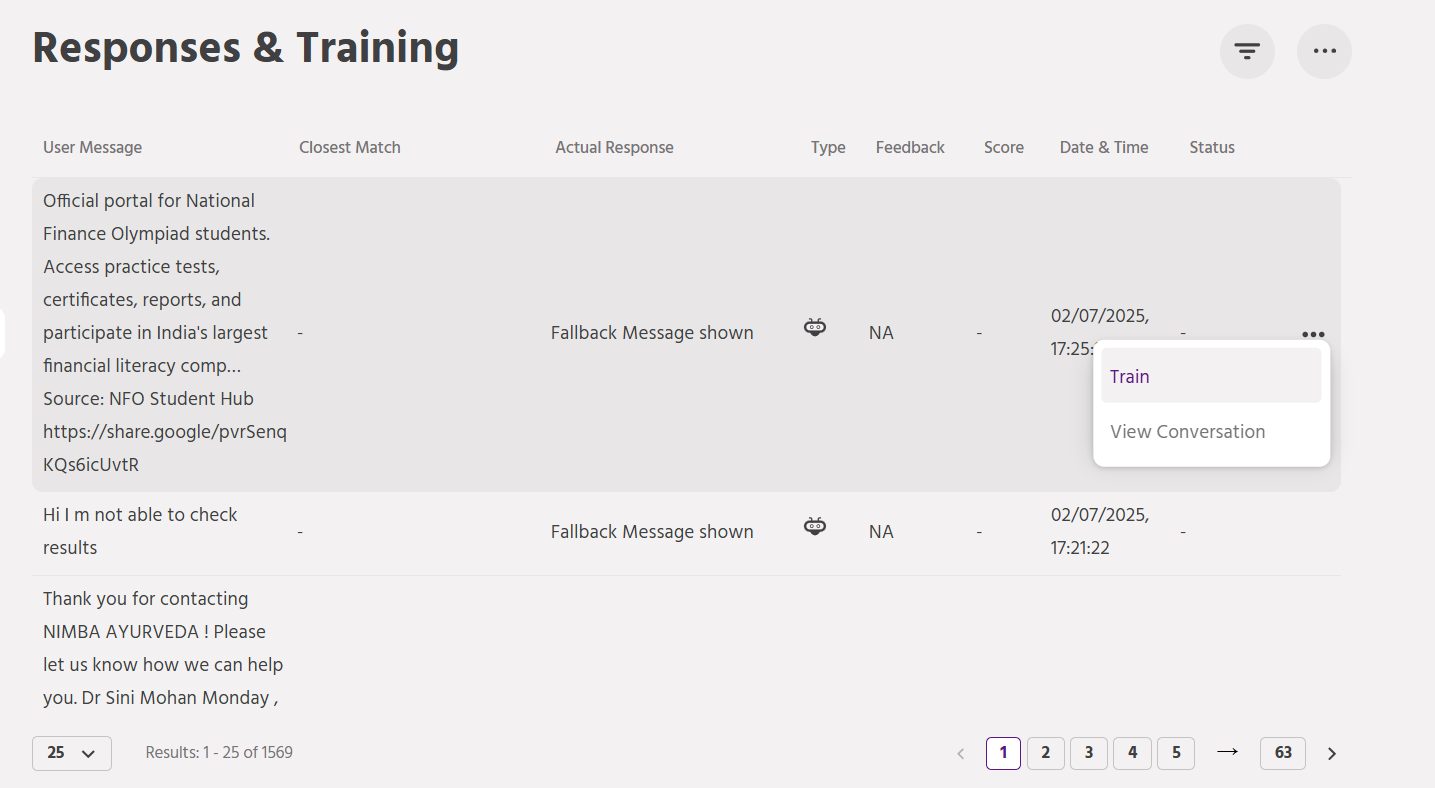
To improve bot responses, you can go to response training.
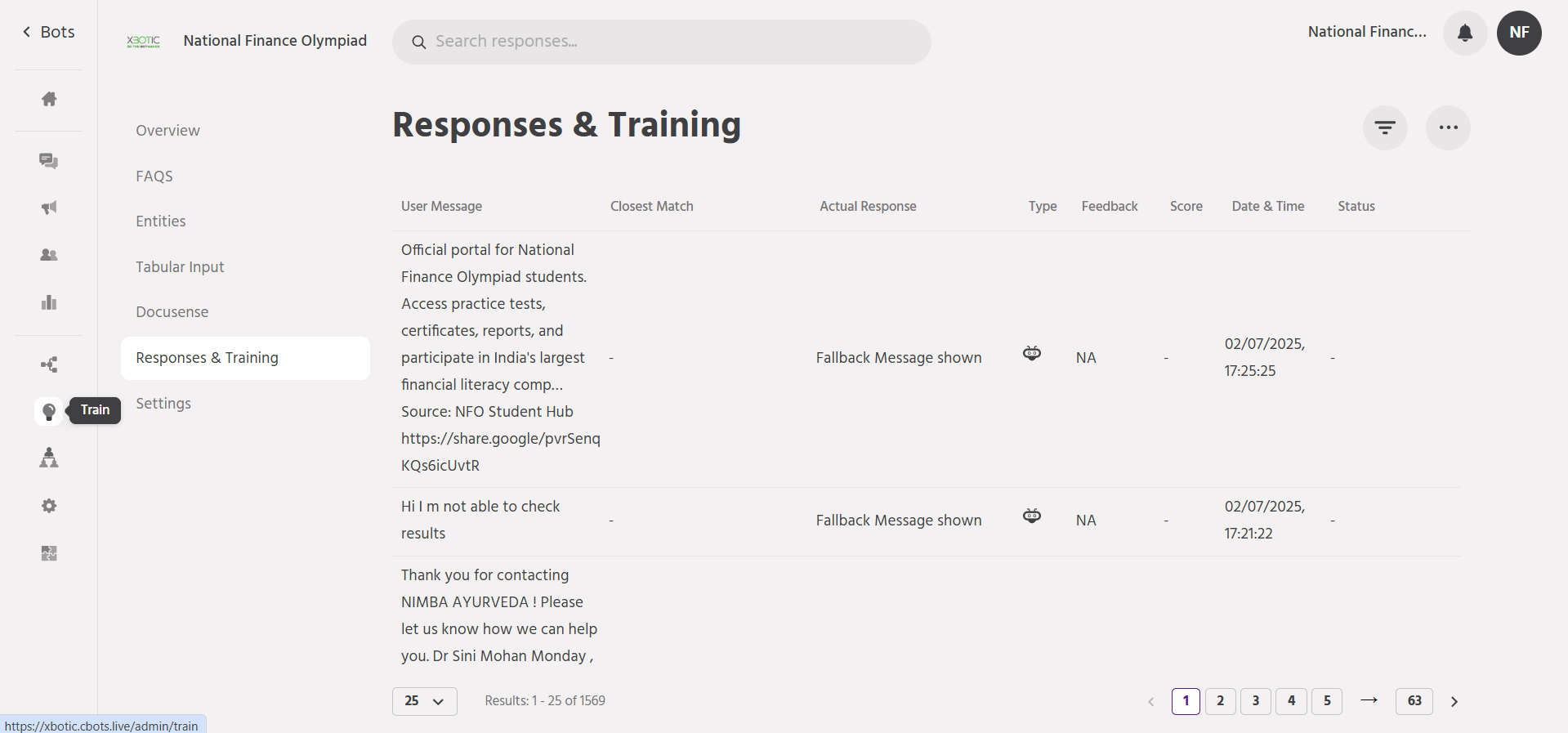
For the user message, you can see the response, it can be either a path or an FAQ. For queries the bot cannot answer, it triggers the ‘Default message’ path. You can train these queries to improve the responses.