

-
Welcome to ORAI Robotics
-
Building Your Bot
-
Docusense - Conversational Intelligence
-
Deploying The Bot
-
Broadcast Simplified
-
Tracking & Analytics
-
Activating Live Chat
-
Managing your account
-
ORAI Robotics for Shopify - What’s in it for you?
-
Generative AI
- Generative AI
- Docusense Search
- Guide to Custom Prompting
- Show Related Matches (SRM): Implementation Guide
- Configuring and Using Question Suggestions
- Enable LLM for Multilingual capabilities
- Gen AI Updates
- Configuring Conversational Intelligence (with LLM enabled)
- Understanding Prompts in Generative AI
- Configuring AI Response Settings
-
ORAI Robotics APIs
-
Platform Tutorials
-
Orai - User Guide
-
How to setup WhatsApp notifications
-
Marketing Campaigns and Automations
Enabling Data Formatting
Introduction
In the era of global digital communication, it’s essential for organizations to present data in a clear and understandable format. Orai-Robotics chatbots offer flexible data formatting options to enhance user experience by presenting data in a way that’s tailored to organizational needs.
Availability
Access the data formatting options by following this path: Settings -> Chatbot -> Data Formatting.
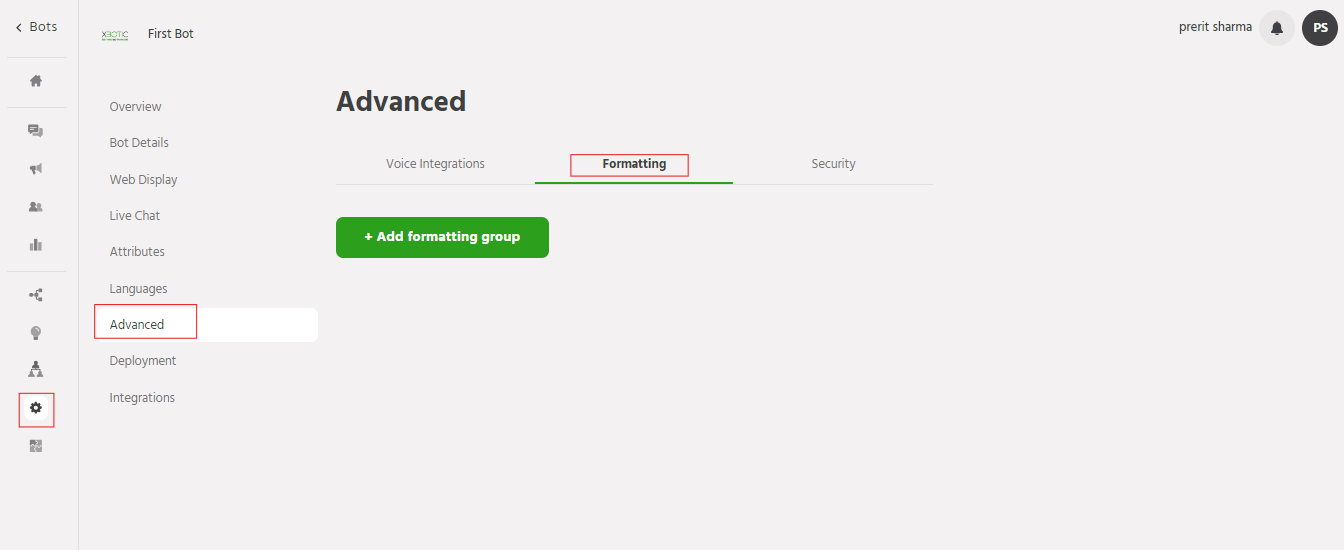
Functioning

-
Identifier:
Assign a unique name to your format choice for easy identification.
-
Number Formatting:
Digit Grouping: Specify the number of digits between separators in digit groups. Options include:
12,34,567 (Indian Numbering)
123,456,789 (Western Numbering)
123456789 (No Grouping)
Grouping Selector: Choose a character to separate digit groups, such as a comma (,), period (.), or space. -
Time Formatting:
Format: Choose between 12-hour and 24-hour time formats.
Add Preceding Zero: Decide whether to add a zero before single-digit hours.
Include Seconds: Include seconds in the time display if required. -
Date Formatting:
Short Format:
Date Separator: Choose from slash (/), hyphen (-), space, or period (.).
Component Order: Select the order of day, month, and year.
Year Format: Choose between two-digit (YY) or four-digit (YYYY) year display.
Long Format: Select from six pre-defined date templates for a more detailed display. -
Preview:
Visualize how the data will appear with the selected formatting options.
Support For any assistance or inquiries, please contact our support team at support@orairobotics.zohodesk.com.