

Conversational Data Capture Node
Overview
The Conversational Data Capture Node is designed to make user input collection seamless and engaging. Unlike traditional form-based input capture, which disrupts the conversational flow, this node interacts with users contextually to gather the necessary information. To access this feature, you must have LLM (Large Language Model) capabilities enabled and subsequently integrate EsenseGPT on the Engati platform.
Note: Recommended models GPT-4-TURBO, GPT-4o, GPT-4o mini.
Features:
-
Engaging and contextual user interactions.
-
Validate user input data.
-
Configurable bot tone for enhanced user experience and alignment with brand values.
-
Set limits on follow-up attempts to control how many times the bot will ask for essential or mandatory user inputs.
Steps to Access and Add the Node
Step 1: Log In
-
Log in to your Engati Portal.
-
Select a bot from your account with LLM enabled, and Esense GPT connected.
Step 2: Navigate to the Builder
-
In the left navigation bar, go to Builder.
-
Click on Add Node.
-
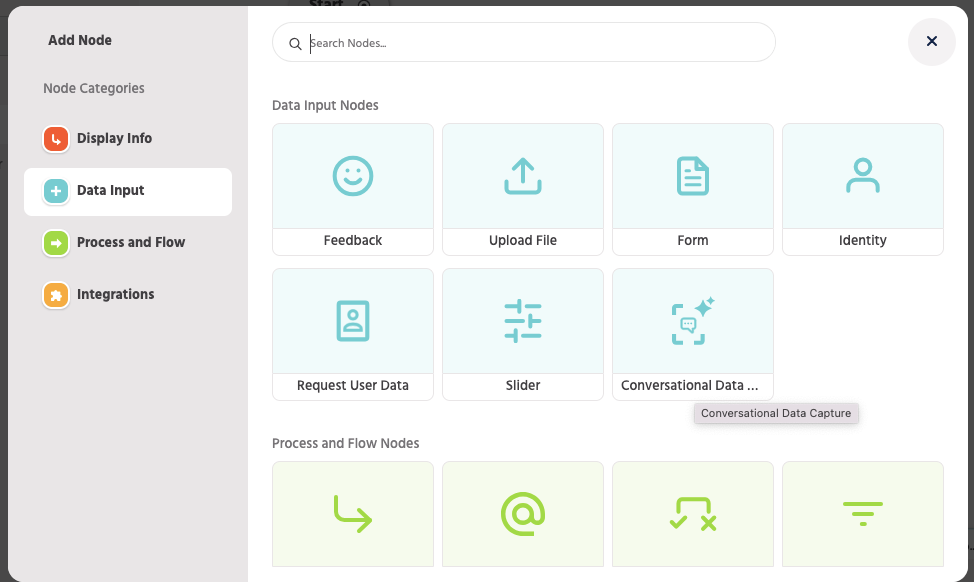
A popup displaying all available data input nodes will appear.
-
Search for and select the Conversational Data Capture Node.
Node Configuration
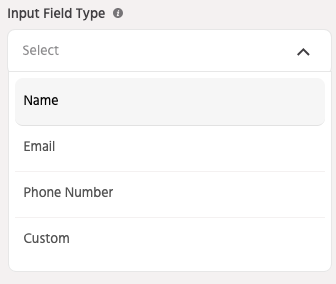
Input Field Dropdown
-
Select the data you want to capture (e.g., Name, Email, Phone Number).
-
For custom input type, choose the Custom Field option and define your desired field.
Note: Select Custom Input for any other use case apart from the default ones mentioned above.
Instructions (Optional)
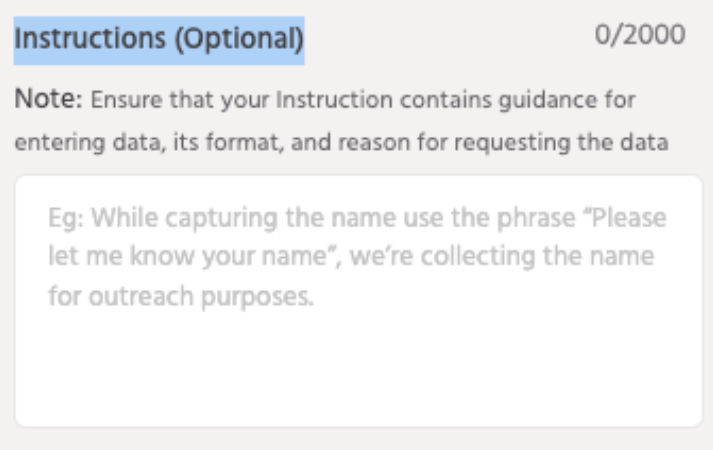
This is an optional field with default instructions already in place, However, this section is mandatory for custom input types. For predefined fields like Name, Email, and Phone Number, default instructions are already provided, but you can customise it as needed.
An example instruction for capturing the Name input type would be:
-
“Please craft a user-friendly message to ask the user for their first name. Ensure the message clearly explains that this information is requested solely for registration purposes and explicitly assures the user that their name will not be misused. Provide an example of how the data should be entered (e.g., ‘John’) to ensure clarity”
Validation (Optional)
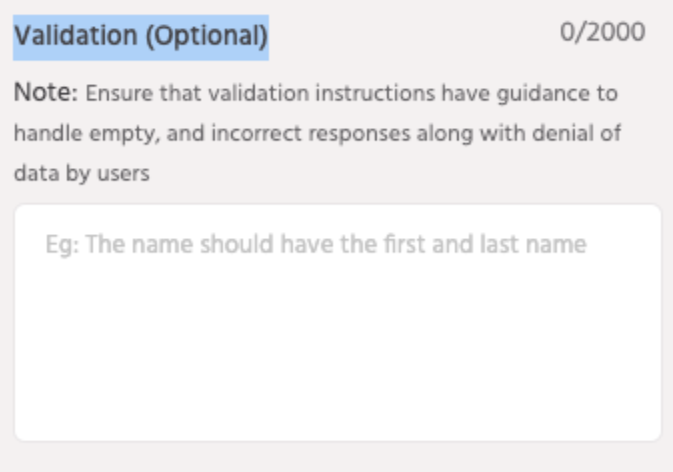
If left empty, default input-wise validations will apply for predefined fields like Name, Email, and Phone Number. For custom inputs, however, defining validation rules is mandatory to ensure proper data capture. If filled, custom validation rules will override the default settings.
Bot Tone
Select the tone of the bot from the following options:
-
Professional: Ideal for formal interactions, focusing on clear, respectful, and precise communication.
-
Friendly: Best for creating approachable and warm interactions.
-
Humorous: Adds a touch of humour, making conversations light-hearted and engaging, perfect for informal contexts.
-
Neutral: Maintains a balanced and straightforward tone, suitable for general-purpose interactions.
Attribute Name
Define the attribute name corresponding to the database field where the data will be stored. For example:
-
“name.conversational_data_node”
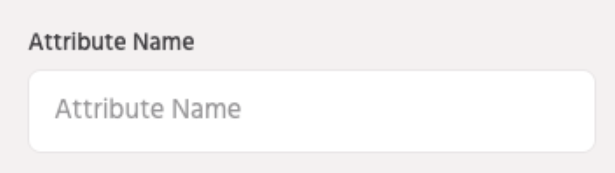
Note: Currently, only pre-existing attributes can be used in this field. Unlike RUD, entering a new attribute name here will not create it automatically. Please ensure that the attribute has already been created before using it in this field.
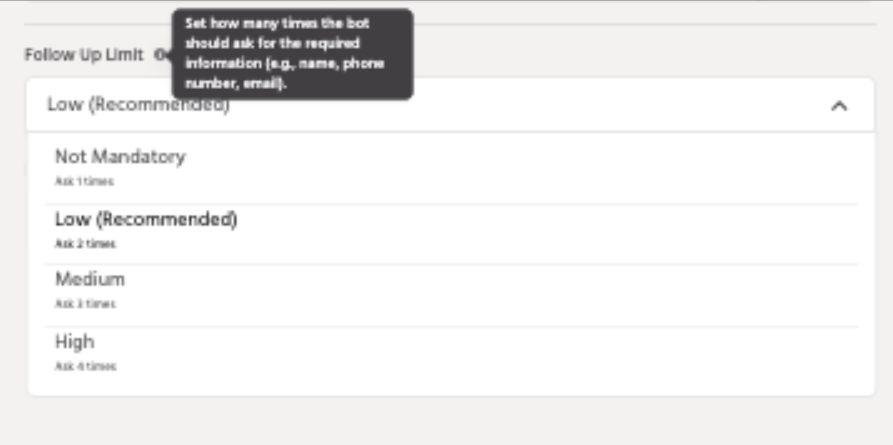
Follow-Up Limit
Set how many times the bot should prompt the user for the input if it is not initially provided. Options include:
-
Not Mandatory (Asks 1 time)
-
Low (Recommended) (Asks 2 times)
-
Medium (Asks 3 times)
-
High (Asks 4 times)
Note: The “Low” option is recommended as it strikes a balance between encouraging user input and maintaining a positive user experience during the conversation. This approach increases the likelihood of capturing user data without overwhelming the user.
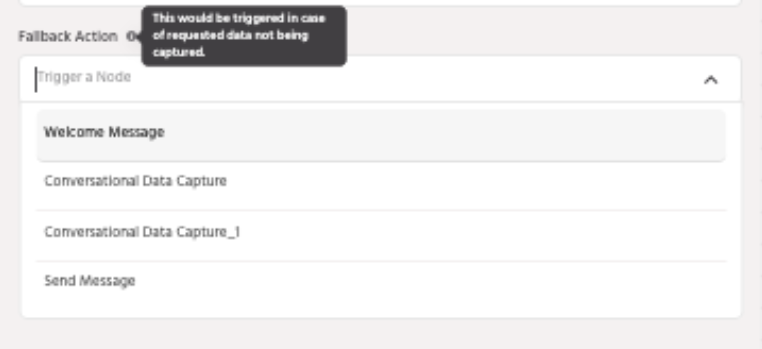
Fallback Action
Trigger a node if the user fails or refuses to provide the requested data. This ensures that users who do not provide inputs are guided through an alternative chatbot experience, differentiating their journey from the path designed for users who share the required information.
Enhancements & Updates
We have made several improvements to the Conversational Data Capture Node to enhance its flexibility and usability:
-
Previously, the Conversational Data Capture Node did not support the Object attribute, limiting the ability to collect multiple inputs in a single interaction.
-
Now, customers can use the Object attribute in custom-type data inputs, allowing them to capture multiple pieces of information within the same node.
-
This enhancement removes the restriction of one input per interaction, making data collection more efficient and seamless.
These improvements provide a more dynamic and conversational experience, ensuring users can share multiple details in a single engagement while keeping the interaction intuitive and natural.
Conclusion
The Conversational Data Capture Node revolutionizes data collection by making it conversational, contextually relevant, and user-friendly. By leveraging the power of EsenseGPT and LLM capabilities, this node ensures an enhanced and personalized user experience.
If you face any issues or queries please reach out to us at support@orairobotics.zohodesk.com.