

-
Welcome to ORAI Robotics
-
Building Your Bot
-
Docusense - Conversational Intelligence
-
Deploying The Bot
-
Broadcast Simplified
-
Tracking & Analytics
-
Activating Live Chat
-
Managing your account
-
ORAI Robotics for Shopify - What’s in it for you?
-
Generative AI
- Generative AI
- Docusense Search
- Guide to Custom Prompting
- Show Related Matches (SRM): Implementation Guide
- Configuring and Using Question Suggestions
- Enable LLM for Multilingual capabilities
- Gen AI Updates
- Configuring Conversational Intelligence (with LLM enabled)
- Understanding Prompts in Generative AI
- Configuring AI Response Settings
-
ORAI Robotics APIs
-
Platform Tutorials
-
Orai - User Guide
-
How to setup WhatsApp notifications
-
Marketing Campaigns and Automations
Bot Engagement
Customer engagement is an important aspect of a business since it drives all three aspects of a marketing use case: lead generation, customer acquisition, and retention. Advanced NLP-enabled conversational bots drive targeted and interactive engagement options. ORAI enables bot builders to track the quantity and quality of engagement on their bots.
Engagement Dashboard provides analytics on various aspects showcasing your users’ engagement with the bot. Key metrics highlighted include Interaction Metrics, New vs Active Users trending, and occurrences/usage of certain messages or actions within the Bot User Journeys.
Availability
The Bot Engagement Dashboard is available to all our customers on all plans. Access to this dashboard is restricted to your users with the Owner, Administrator, or Executive Roles.
Navigate to Analytics > Bot Engagement.
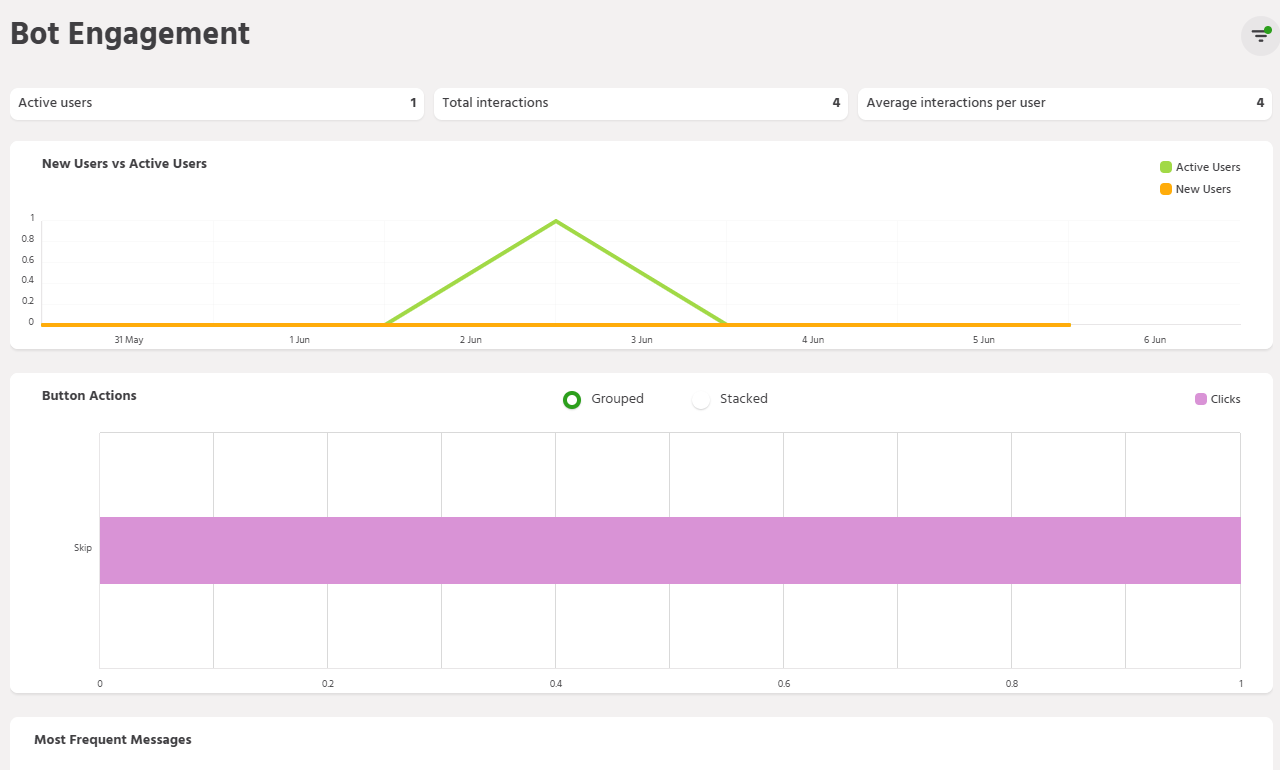
Interaction Metrics
This module showcases the key metrics relevant to tracking user engagement with the bot.

- Active User: This number indicates the number of active users in the time duration selected in the date filter.
- Total Interactions: This number represents a cumulative sum of all the interactions that have taken place in the time duration selected in the date filter.
- Average Interaction per User: This shows the average number of interactions a bot has with each user. A higher number in average interactions indicates quality engagement between a user and the bot.
Dashboard Charts
There are three key charts available on the page as described below. Also, please note that the aggregated charts data available on this dashboard is available only for date ranges older than a day (i.e., Today).
New Users vs Active Users
This graph shows the date-wise distribution of new users vs active users on the bot. A higher number of new users show a higher reach of the bot and maintained a number of active users represent retention.

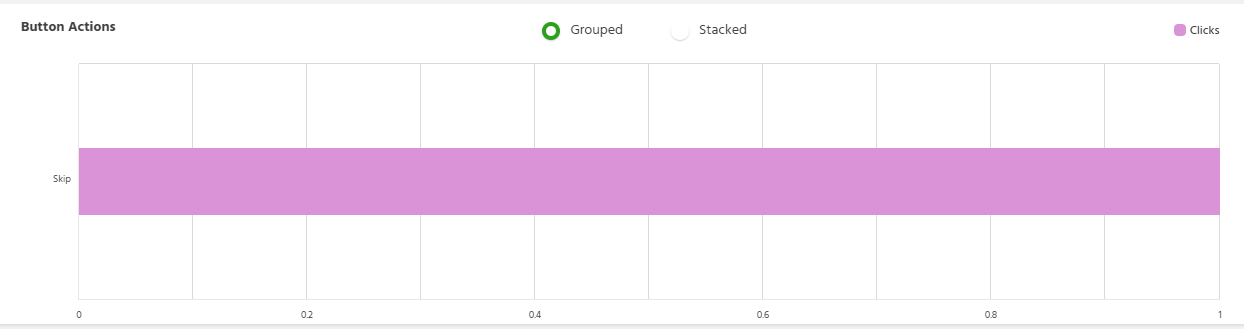
Button Actions
This table displays the data when you have used buttons while creating your bot. The data will reveal the user’s actions on the button during their bot conversations. The bar shows the number of clicks for that specific button. This chart is particularly useful for doing a clickthrough or conversion analysis based on the user journeys within the bot.
Most Frequent Messages
Most frequently used words/queries are displayed in this section. This helps you understand the frequently asked questions at a quick glance and focus on improving the training for the bot around those keywords or queries.

Filter
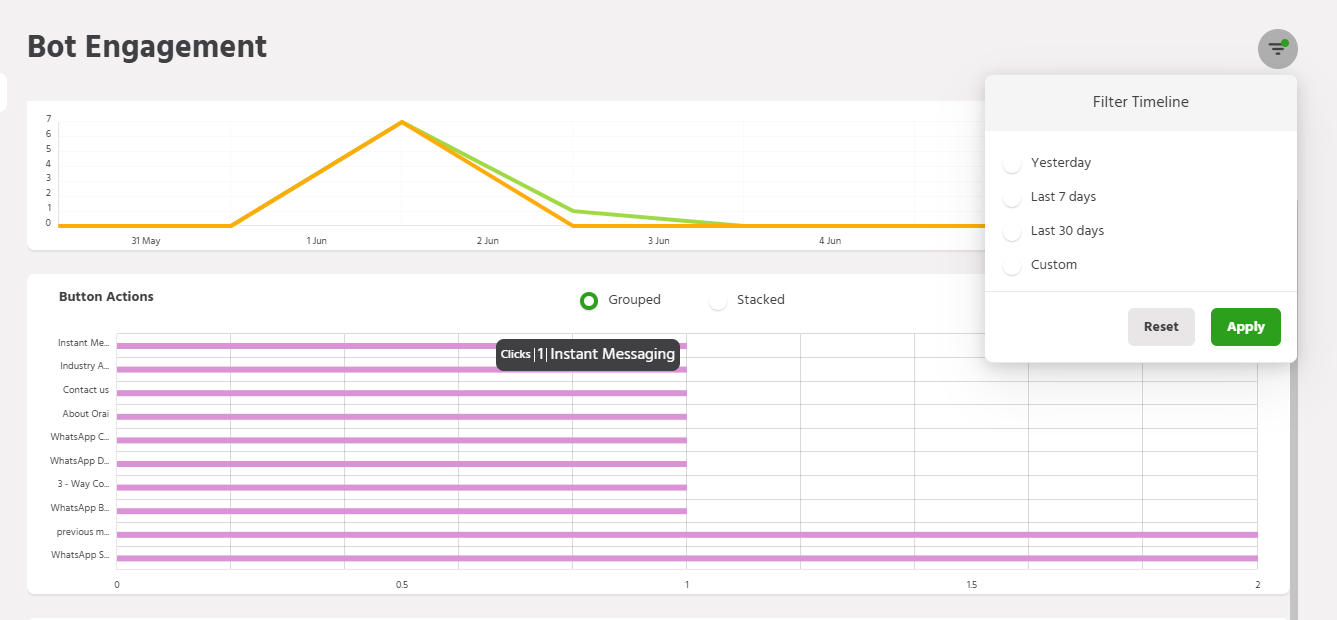
The Bot Engagement dashboard allows you to filter the data by specific date ranges. At the top, you can select from preset filters like yesterday, last 7 days, or last 30 days.
The “Custom” filter lets you manually enter a specific start and end date to view bot engagement for your desired timeframe.
Using these date filters, you can analyze bot usage over any period that is most relevant for understanding trends or performance.
If you face any issues or queries, please reach out to us at support@orairobotics.zohodesk.com.